
A: A desktop board serves personal work, gaming, and general business tasks with standard consumer parts. A server board gives priority to uptime, ECC memory, remote management, larger memory capacity, more storage links, and wider expansion.
Jul 23, 2026
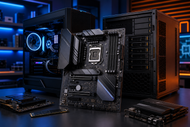
A motherboard decides which processor, memory, storage, graphics card, network features, and later upgrades a computer can accept. A poor choice can block upgrades, remove needed ports, cause unstable power, or fail to fit the case.
The computer motherboard acts as the main meeting point for PC Components. It carries data between the processor, RAM, graphics card, storage, network controller, and connected devices.
In IT Hardware planning, the board affects repair time, spare-part choices, security support, fleet consistency, and useful system life.
Work, gaming, and business systems need different levels of ports, cooling, expansion, security, and repair access.
A motherboard is the main printed circuit board inside a computer. It holds the CPU socket, memory slots, chipset, storage connectors, power connectors, expansion slots, firmware chip, and input-output ports. Copper paths inside the board carry signals between these motherboard components.
To understand how a motherboard works in a computer, picture a controlled road network. The CPU processes instructions, RAM holds active data, storage keeps files, and the graphics card creates images. The board connects these parts and gives each one a data path.
The processor and chipset split connection duties. Firmware checks hardware at startup, applies settings, and hands control to the operating system.
A motherboard for office and work PC use needs enough USB ports, stable networking, TPM 2.0, and room for memory or storage upgrades. Windows 11 requires TPM 2.0, so business buyers should confirm board support and firmware settings.
Gaming systems need a full-speed graphics slot, suitable CPU power circuits, fast storage support, fan headers, and space for a thick graphics card.
One motherboard for gaming and office use can serve both roles when it offers sensible expansion without unused extras.
ATX measures 12 by 9.6 inches and suits full-size towers and many mid-tower cases. Its larger area suits workstations, high-end gaming PCs, and business systems that may need several expansion cards.
Micro-ATX measures up to 9.6 by 9.6 inches. It fits smaller cases while retaining room for a graphics card, storage, and sometimes four memory slots. It suits many office and mainstream gaming builds.
Mini-ITX measures 6.7 by 6.7 inches. It suits compact PCs, but limits slots and cooling space. Check cooler height, graphics card size, power supply format, cable room, and M.2 temperatures.
The different types of motherboards in computer hardware can describe size, device class, or purpose. Judge each board by its intended machine.
A backplane board connects removable cards, storage devices, or system modules. Passive designs carry power and signals, while active designs add switching or control parts. Servers and industrial systems use them for easier module replacement.
Desktop motherboards follow common sizes such as ATX, Micro-ATX, and Mini-ITX. They accept replaceable processors, memory, storage, graphics cards, and power supplies, which support easier repairs and upgrades.
Laptop motherboards use custom shapes for one laptop family. Makers may solder the processor, memory, or storage onto the board. Ports, cooling, battery, keyboard, and display links sit in model-specific positions. Replacement requires the exact board number and layout.
Motherboard accessories include Wi-Fi antennas, M.2 screws, heatsinks, SATA cables, input-output shields, TPM modules, fan splitters, and front-panel adapters. Check the box contents before installation.
Server motherboards focus on uptime, remote control, memory capacity, storage links, and expansion. Many support ECC memory, which can correct common single-bit memory errors when the CPU and board both support it.
Many also provide remote control and more memory channels or PCIe lanes than consumer boards.
The System motherboard is a broad term for the main board inside a complete device. It may describe a desktop, laptop, server, or custom industrial board. Use the machine model and board part number for replacement.
Start with the exact processor model. Match its socket, chipset support, and firmware version. In 2026, current AMD desktop buyers commonly see AM5, while Intel Core Ultra 200S and 200S Plus desktop processors use LGA1851. AMD has announced AM5 support through 2029.
A matching socket does not guarantee support. Check the CPU list and minimum BIOS version. BIOS Flashback lets some boards update without a working CPU.
Check the memory generation, slot count, maximum capacity, supported speeds, and qualified memory list. DDR4 and DDR5 use different notches and electrical designs, so neither fits the other’s slot.
Two RAM slots suit compact PCs, while four give desktop users more upgrade room. Office work may run well with 16 GB; design, development, virtual machines, and large data sets may need 32 GB or more.
Set the board budget after listing required ports, slots, storage links, network speed, and memory capacity. Skip extra lighting, extreme tuning controls, or unused high-speed ports. Avoid boards that lack power-circuit cooling, enough fan headers, or a useful upgrade path.
Include hidden costs for Wi-Fi adapters, compact coolers, special power supplies, registered memory, or another chassis.
For business fleets, favor consistent models, clear warranties, TPM 2.0, wired networking, display support, and regular firmware updates. Creative work may need higher memory limits, more M.2 slots, fast USB, and extra cards.
For gaming, spend first on the CPU and graphics card, then choose a board that runs them correctly. Expensive boards rarely raise frame rates by themselves. They mainly add stronger power handling, more connections, and added expansion.
For larger deployment planning, read our Ultimate Guide to Computer Hardware Parts & Replacements in 2026. It connects motherboard choices with procurement, testing, security, rollout, spare parts, and replacement planning.
The CPU socket sets the physical processor family. Intel desktop boards use land grid array sockets such as LGA1851. AMD desktop boards use sockets such as AM5. Never force a processor into place.
The chipset controls many motherboard specifications, including added PCIe lanes, USB options, storage links, overclocking support, and business management features. Boards with the same socket can offer different connections because of the chipset and layout choices.
Also, check the board revision, not only its model name. Makers sometimes release several revisions with different network chips, firmware files, or component layouts.
The memory support list, called a QVL, shows modules the maker tested, but unlisted memory may still work. For business purchasing, record the revision, BIOS version, network controller, and warranty period, so replacement units behave consistently across the PC fleet.
PCIe slots connect graphics, network, sound, capture, and storage-controller cards. Slot length does not always show its electrical lane count. A long x16 slot may run at x4. Read the manual because M.2 storage may share or disable lanes.
PCIe 5.0 runs at 32 gigatransfers per second per lane, twice the raw rate of PCIe 4.0. PCIe 4.0 still serves many users. Choose PCIe 5.0 for a planned device that can use it.
M.2 slots hold NVMe SSDs, while SATA ports connect 2.5-inch SSDs, hard disks, and some optical units. An SSD gives fast startup and application loading. An HDD gives lower-cost capacity for archives, backups, and large media collections.
Check each M.2 slot’s supported length, PCIe generation, and lane sharing. Some slots accept SATA M.2 storage; others accept only PCIe NVMe models. PCIe 5.0 SSDs may need a heatsink.
Match power handling to the processor. A basic office CPU needs less than a high-power gaming or production chip, which requires suitable voltage control, heatsinks, and airflow.
Count expansion needs, including graphics card thickness, M.2 storage, Wi-Fi, capture, sound, and network cards. Thick graphics cards can block slots.
Extra RAM slots, spare M.2 sockets, a current CPU platform, and a free PCIe slot can extend service life. Unused features waste money.
Count rear ports and internal headers, including USB, display, audio, Ethernet, Wi-Fi, Bluetooth, fans, and storage. Business buyers should check wake-on-LAN, remote management, TPM, and firmware policies.
Keep dust away from heatsinks and slots, maintain steady airflow, and use a suitable power supply and surge protection.
Update firmware for security, stability, or processor support fixes. Never update during unstable power, and record working settings first.
Reset memory, power cables, graphics cards, and storage cables when faults appear. Check temperatures and logs. Power, RAM, storage, cooling, or cables can mimic board failure.
Replace a board only after testing likely causes. Signs include no power, repeated restarts, dead ports, burned areas, device loss, or failure to detect known-good RAM and storage. Slow performance alone rarely proves board failure.
Common motherboard problems and fixes start with power and cable checks, a firmware reset, one-stick memory testing, graphics testing, and socket inspection. Diagnostic lights or beep codes can narrow the fault.
For replacement, match the CPU, RAM generation, case size, cooler mount, power connectors, storage type, operating system needs, and front-panel connections. Back up data first. Windows activation and encryption recovery may need attention after the change.
Choose the board by starting with the processor, case, memory, workload, and required connections. Compare expansion, storage, firmware support, repair access, and upgrade plans. A useful motherboard guide prevents waste and hidden limits.
For office PCs, a well-built Micro-ATX board with four memory slots, two M.2 slots, TPM 2.0, and dependable networking makes sense.
Gaming systems may need ATX, stronger cooling, more storage, and extra PCIe room. Servers need their own board class, memory rules, and remote management.
A: A desktop board serves personal work, gaming, and general business tasks with standard consumer parts. A server board gives priority to uptime, ECC memory, remote management, larger memory capacity, more storage links, and wider expansion.
A: Common signs include no startup, random restarts, dead ports, missing devices, burning smells, visible damage, or failure with known-good parts. Test the power supply, RAM, GPU, cables, and storage before blaming the board.
A: The best choice matches the exact CPU and offers DDR5, enough M.2 slots, suitable CPU power handling, dependable networking, and room for the planned graphics card and add-ons. Most mixed-use buyers do not need the most expensive chipset.
A: Find the CPU socket, then check the motherboard maker’s CPU support list for the exact processor name. Confirm the required BIOS version, memory type, cooler mount, and power needs before ordering.
A: Main groups include desktop, laptop, workstation, server, industrial, embedded, and backplane-based boards. Desktop boards also use form factors such as ATX, Micro-ATX, and Mini-ITX.
A: Consumer boards focus on common desktop features, gaming, audio, and personal upgrades. Enterprise boards focus on ECC memory, remote administration, long operating periods, validated hardware, high memory capacity, and many storage or network connections.
A: Choose a board with TPM 2.0, stable Ethernet, enough display and USB ports, four RAM slots where possible, at least two storage options, and a good firmware record. Standardizing one or two models also makes repairs and spare-part control easier.
A: ATX boards measure 12 by 9.6 inches and normally provide more expansion room. Micro-ATX boards measure up to 9.6 by 9.6 inches, fit smaller cases, and suit many office and gaming PCs that use one graphics card.

Posted Sep 07, 2023

Posted Sep 07, 2023

Posted Sep 06, 2023

Posted Sep 05, 2023

Posted Sep 01, 2023

Posted Aug 30, 2023

Posted Aug 30, 2023