
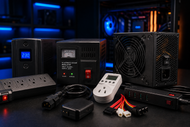
A: Computer power devices are tools that convert, regulate, store, protect, or distribute electricity for computers. They take AC from the wall or DC from a battery and deliver power in the exact form each piece of hardware can safely use.
Every computer runs on managed electricity, not raw wall power. The processor, memory, and storage inside your machine never touch the outlet directly.
A group of tools called power devices sits between the grid and the hardware, shaping current so each part gets exactly what it can handle.
Computer power devices are tools that supply, convert, regulate, store, protect, or distribute electrical power for computers and the equipment connected to them.
The group covers the power supply inside a desktop, the adapter that charges a laptop, and external units such as a UPS, surge suppressor, power bank, battery charger, transformer, power injector, PDU, and power inverter.
Each device handles one specific power management job. Some change electricity from one form into another. Some hold energy for later use.
Some split a single feed across many machines. Together, PC power devices and laptop power devices keep the flow of electricity matched to what the hardware actually needs.
Computer chips work within narrow voltage limits, and they punish anything outside those limits. A spike lasting a fraction of a second can burn a motherboard trace. A brief dip can freeze a system mid-task or trigger a restart loop.
Power devices matter for four reasons:
Wall outlets deliver alternating current (AC) at roughly 110 to 240 volts, depending on the country. Computer parts run on low-voltage direct current (DC), mainly 12V, 5V, and 3.3V. Power devices manage everything that happens between those two points.
The work breaks down into five jobs. Conversion changes AC into DC, or DC back into AC. Regulation holds output voltage inside a tight range as demand rises and falls. Storage keeps charge in a battery for outages or portable use.
Distribution splits one incoming feed across many outlets or machines. Protection blocks spikes and cuts power during a fault before damage spreads. Each device below specializes in one or two of these jobs.
The power supply unit (PSU) sits inside a desktop or server and converts AC from the wall into the DC rails the hardware uses.
Its continuous wattage rating tells you how much load it can carry, and an 80 PLUS rating shows how much incoming power reaches the parts instead of turning into heat. A well-matched PSU is the base layer of system stability.
A UPS is a battery-backed unit that sits between the outlet and your equipment. When grid power fails, it switches to battery within milliseconds, so the computer never notices the cut.
The battery buys you minutes, not hours, which is enough time to save work and shut down cleanly. For anyone running a NAS, a server, or long render jobs, a UPS is the difference between an inconvenience and lost data.
A surge suppressor absorbs short voltage spikes before they reach your equipment. Inside, components called metal oxide varistors divert excess voltage away from the protected outlets.
Spikes come from lightning, grid switching, and even large appliances on the same circuit. A suppressor rated in joules costs little compared to the motherboard it saves, and it wears out over time, so replace it after a major surge event.
A power bank stores charge in a portable battery and releases it through USB ports. Modern units with USB-C Power Delivery can push 65W to 140W, enough to charge many laptops, not just phones.
Capacity is listed in mAh or Wh, and airlines cap carry-on banks at 100Wh without approval. For field techs and travelers, a power bank keeps laptop power devices useful far from any outlet.
A battery charger refills rechargeable cells at the correct voltage and current profile. In computing, that means laptop battery chargers, UPS battery chargers, and chargers for camera or tool cells used around a workspace.
Smart chargers monitor temperature and taper the current as the cell fills, which slows battery wear. The wrong charger profile shortens battery life, so match the charger to the exact battery chemistry and rating.
A power injector adds electrical power to an Ethernet cable, a method called Power over Ethernet (PoE). One cable then carries both data and power to wireless access points, IP cameras, and VoIP phones.
The main standards are 802.3af (up to 15.4W), 802.3at (up to 30W), and 802.3bt (up to 90W at the source). The benefit is simple: you can mount a device on a ceiling or pole with no outlet nearby.
A transformer raises or lowers AC voltage through magnetic induction between two wire coils. In computing, step-down transformers let 110V equipment run safely in 220V regions, and isolation transformers separate sensitive gear from electrical noise on the line.
Businesses that import hardware across voltage regions rely on transformers to avoid destroying equipment on first plug-in.
A power distribution unit PDU takes one high-capacity feed and distributes it across many outlets, mounted vertically or horizontally in a server rack. Basic PDUs simply split power.
Metered models display the load on the circuit, and switched models let an administrator turn individual outlets on or off remotely. Data centers depend on PDUs to organize power per rack and to reboot a frozen server without a site visit.
A power inverter converts DC from a battery or solar array into AC that standard equipment can use. Computers and monitors respond badly to rough waveforms, so choose a pure sine wave model for anything with sensitive electronics.
Inverters power laptops in vehicles, keep gear running during long outages, and connect battery storage to office equipment in off-grid setups.
Stable voltage lets a processor and graphics card hold their boost speeds instead of throttling or resetting when the rail sags. Clean, protected power cuts the random crashes and restart loops that get blamed on software.
Higher-efficiency units waste less energy as heat, which keeps case temperatures lower and fans quieter. And by absorbing electrical stress, protection devices extend the working life of every component behind them.
The payoff shows up in five places. Hardware protection saves the cost of replacing boards and drives after a surge. Uptime protects productivity, since staff can't work through an outage without a UPS.
Efficiency ratings lower electricity bills across dozens of machines. Battery backup protects data during a cut. And equipment that receives clean power simply lasts longer, which stretches every hardware budget further.
At home, a surge suppressor and a decent PSU cover most needs, with a small UPS added for a gaming PC or home NAS. Offices layer UPS units under workstations and PoE injectors for phones and access points.
Data centers combine rack PDUs, large UPS systems, and transformers to feed hundreds of servers. Schools and labs use the same tools at a smaller scale, while industrial sites add isolation transformers and inverters to deal with rough power and remote equipment.
Power gear is getting smarter and smaller. UPS units and PDUs now ship with apps and network cards for remote monitoring, so an admin can watch load and battery health from anywhere.
Data centers are testing AI-driven load prediction that shifts power between racks before demand peaks. Gallium nitride (GaN) chargers pack more wattage into smaller, cooler bodies.
Efficiency standards keep climbing, with 80 PLUS now reaching a Ruby tier for high-end units. And solar-plus-battery setups paired with pure sine wave inverters are moving from niche to normal for backup power.
Start with the math: add up the wattage of everything the device must carry, then leave room above that number for startup spikes and future upgrades.
Check compatibility next, meaning connector types, input voltage range, and PoE standard where it applies. Look for named safety certifications such as UL or CE and listed protections like over-voltage and short-circuit shutdown.
Weigh efficiency ratings against running cost, then set the budget last, because the cheapest unit on the shelf tends to cost the most after a failure.
The internal power supply deserves the most attention, because every other part of a PC depends on it. Read our Beginner's Guide 2026: Choosing the Right Power Supply for Your PC, for the full wattage math, connector checks, ATX 3.1 details, and safety features to demand before buying your next PSU.
Power devices are the quiet layer that keeps modern computing alive. The PSU converts, the UPS stores, the suppressor shields, the PDU distributes, and the inverter bridges battery power to working equipment.
Get these choices right and crashes, dead hardware, and lost files become rare events instead of monthly ones.
As power management turns smarter and more connected through 2026, the same basics still decide the outcome: correct wattage, confirmed compatibility, and named protection.
Newtown Spares stocks the full range of computer power devices, from PSUs and UPS units to PDUs, injectors, transformers, and inverters, searchable by brand and exact part number.
For multi-system deployments, a bulk quote request keeps every replacement tied to confirmed compatibility.
A: Computer power devices are tools that convert, regulate, store, protect, or distribute electricity for computers. They take AC from the wall or DC from a battery and deliver power in the exact form each piece of hardware can safely use.
A: A power supply converts wall AC into the DC voltages a computer's parts run on. A UPS sits before the power supply and adds a battery, keeping the system running for several minutes when grid power fails so you can save work and shut down.
A: PC power devices feed stable current to the motherboard, processor, graphics card, and drives, protect them from surges, and back them up during outages. They cover the internal PSU plus external gear like surge suppressors, UPS units, and PDUs.
A: Yes. A charger with the wrong wattage or profile charges slowly, overheats, or wears the battery early. A correctly rated charger or Power Delivery power bank keeps charge cycles gentle, which preserves battery capacity and steady performance over the years.
A: Transformers raise or lower AC voltage so equipment matches the local supply. A step-down transformer lets 110V hardware run in a 220V region, while an isolation transformer blocks line noise from reaching sensitive computing gear.
A: Power injectors send electricity through an Ethernet cable alongside data, following PoE standards like 802.3af, at, and bt. They power wireless access points, IP cameras, and VoIP phones in spots where installing a wall outlet would be difficult or expensive.
A: High-efficiency units convert more incoming power into usable output and less into heat, which lowers electricity bills and fan noise. Stable, regulated power also stops crashes and restarts, so systems spend more time working and less time recovering.
A: Start with the internal power supply, since every component depends on its output, then add a surge suppressor for cheap protection. A small UPS comes next once your work or data becomes too costly to lose during an outage.

Posted Sep 07, 2023

Posted Sep 07, 2023

Posted Sep 06, 2023

Posted Sep 05, 2023

Posted Sep 01, 2023

Posted Aug 30, 2023

Posted Aug 30, 2023