
A: A line interactive UPS with pure sine wave output can suit many gaming PCs, particularly systems using active PFC power supplies that match the unit to the computer's actual load and the manufacturer's compatibility guidance.
A power cut rarely happens when it is convenient and you might be saving a document, transferring files, installing an update or working on a project when the screen suddenly goes black. At home that can mean lost work. In an office an outage can affect workplaces, networking, storage and business applications.
A UPS or Uninterruptible Power Supply, provides temporary battery power and depending on the model can also regulate voltage and provide other power conditioning features. Choosing the right UPS for Computer use is not simply about buying the highest VA rating. Load, runtime, UPS type, waveform, battery technology, monitoring and future requirements all deserve attention.
An Uninterruptible Power Supply sits between an electrical source and the equipment connected to it. During the normal process it supplies power while keeping its battery charged. When utility power fails or moves outside the unit's specified working range the UPS transitions to battery process according to its design.
For a desktop PC that backup time can provide an opportunity to save work and perform a controlled shutdown. In an office or server environment a UPS can help maintain important equipment through a short interruption or support an automated shutdown process. Laptops already have internal batteries but a UPS can still support external monitors, docking stations, routers and other connected devices.
UPS models do not all provide the same level of power conditioning. Standby, line interactive and online designs handle incoming power differently so always check the specifications of the particular model.
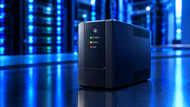
A UPS system combines energy storage, power conversion, switching, monitoring and thermal management
A complete blackout is not the only power problem a computer can experience. Voltage sags, surges and other disturbances can interrupt equipment or cause an unexpected shutdown. Depending on the design a UPS can provide battery backup and help manage certain voltage conditions.
For home users the main benefit is having enough time to save open work and shut down safely. This can reduce the risk of losing unsaved data during an abrupt power interruption though a UPS should never be treated as a replacement for regular backups.
Hardware protection also depends on the particular UPS. Some models provide surge protection, voltage regulation, filtering or other power conditioning features so buyers should verify the specifications rather than assume that every UPS offers the same protection.
For the computer's internal PSU, read A Beginner's Guide 2026: Choosing the Right Power Supply for Your PC to understand how the PC power supply and external UPS work together.
A Standby UPS normally passes utility power to the connected equipment and switches to battery when the input moves outside its acceptable range. It is usually used for desktop computers, home offices, monitors and network devices where basic backup is the main requirement.
A Line Interactive UPS adds voltage regulation to the backup function. Where automatic voltage regulation is included it can correct certain low and high voltage conditions without immediately using battery power. It is widely used for workplaces, office equipment, NAS devices, small servers and network equipment.
An Online UPS mostly uses double conversion technology, converting incoming AC to DC and then back to AC for the load. This provides continuous power conversion and stronger power conditioning making this topology common for servers, data centers and other critical loads where power quality is a significant concern.
Home Computing
A UPS can support a desktop, monitor, router or other important devices during short interruptions and allow a controlled shutdown.
Office Environments
It can help workplaces and network equipment remain available long enough for users or systems to respond safely.
Gaming Setups
A Gaming PC UPS should be sized around the computer, monitor and accessories because high performance components can have substantial power requirements.
Server Infrastructure
A Server UPS can support servers, storage, switches and virtualization hosts where an unexpected shutdown may affect many services.
Data Centers
A Data Center UPS can form part of a larger power architecture with redundancy, external batteries, bypass arrangements, monitoring and generator coordination.
Network Equipment
UPS backup can keep routers, switches, firewalls and similar devices working during short power interruptions.
Security and Surveillance Systems
Cameras, recorders and access control systems can use backup power to reduce interruptions in monitoring and security processes.
UPS Capacity (VA/Watt Rating)
Calculate the combined wattage of the equipment you intend to connect and compare it with both the UPS watt and VA ratings. Watts and VA measure different things so leave reasonable headroom for changes in load and future equipment.
UPS Topology
Standby, line interactive and online systems provide different levels of power conditioning. Choose the topology according to the equipment, power environment and required continuity.
Battery Life
Battery service life depends on chemistry, temperature, charging conditions, discharge frequency and maintenance. Manufacturer estimates should therefore be viewed in the context of the installation.
Recharge Time
Check the manufacturer's recharge specification when outages occur frequently since the battery needs time to recover before another power event.
Runtime Requirements
Decide what the UPS must accomplish. A home PC may only need enough time to save work and shut down while a server environment may need to bridge a generator transfer or complete an automated shutdown. Runtime varies with load and battery configuration.
Energy Efficiency
Efficiency matters when a UPS works continuously. DOE guidance recommends considering loading, power conditioning, capacity, redundancy, process time and life time energy cost when selecting a UPS.
Sine Wave Output
Check the output waveform when connecting modern PCs, servers or other sensitive equipment. Some active PFC power supplies may have broader compatibility with pure sine wave UPS output but requirements depend on the particular equipment and UPS model.
Remote Monitoring
Network management, alerts and battery information can help IT teams monitor servers, network closets and equipment across several locations.
Auto Restart Features
Some UPS models can restart automatically after utility power returns. Review the available settings and make sure they suit the connected equipment.
Operating Environment
Temperature, airflow, humidity, dust and installation space can affect performance and battery life. Follow the manufacturer's environmental requirements.
Choosing the Wrong Capacity: A high VA rating does not automatically mean enough watt capacity size the unit around the actual connected load.
Ignoring Runtime Requirements: A larger UPS does not automatically provide longer backup runtime and also depends on load and battery configuration.
Overlooking Compatibility: Check voltage, frequency, connectors, waveform and manufacturer guidance before connecting equipment.
Skipping Essential Safety Features: Review overload protection, alarms, battery monitoring, grounding and other relevant safety specifications.
Focusing Only on Price: Battery replacement, energy consumption, monitoring, service and warranty can affect the total ownership cost.
Ignoring Future Expansion: Consider realistic additions to workplaces, servers, storage and network equipment before finalizing capacity.
Selecting the Wrong UPS Type: A basic home computer and a critical server environment may require different levels of power conditioning.
Overlooking Warranty and Support: Check battery availability, replacement procedures, service arrangements and warranty coverage before purchase.
Proper Installation
Follow the manufacturer's requirements for connections, grounding, placement and startup.
Regular Maintenance
Check battery status, alarms, load levels and self test information according to the recommended schedule.
Proper Ventilation
Keep air vents clear and avoid excessive heat around the unit.
Safe Storage of Batteries
Store replacement batteries under the temperature, charging and handling conditions specified by the manufacturer.
Proper Disposal of Batteries
Use right recycling or disposal channels rather than placing used batteries in general waste.
Awareness of Emergency Procedure
IT and facilities staff should understand battery alarms, estimated runtime, shutdown procedures and the response process for prolonged outages.
UPS technology is becoming more connected, well organized and data driven. Smart Monitoring and Remote Management can provide information about load, battery condition alarms, temperature and complete system status without requiring staff to be beside the equipment.
AI Integration and Predictive Maintenance are also appearing in commercial UPS services. On June 30 2026, Schneider Electric announced the expansion of its EcoCare service to three phase UPS equipment combining AI powered condition based maintenance with 24/7 remote monitoring.
Energy Efficiency and Green Technology remain important because UPS systems can process nonstop. DOE guidance recommends analyzing efficiency under realistic loading and considering lifetime energy costs not just the initial purchase price.
In some applications Lithium-Ion Batteries can offer lower weight, smaller footprint and different recharge and lifetime characteristics in some applications. Their suitability still depends on the UPS design, battery management system, working environment and total ownership cost.
Cloud Connectivity is making remote UPS management more practical for distributed setup whereas Modular UPS Systems can help organizations add capacity as demand grows. DOE specifically notes modular systems as useful where partial load process and future expansion are important.
Fast Charging Technology and improved battery analytics can help systems recover between power events although the actual benefit varies with the product architecture and battery technology.
Choosing the right computer UPS starts with understanding the equipment you need to protect and the role the backup system must perform. Check watt demand, VA capacity, runtime, topology, battery characteristics, waveform, efficiency, monitoring, installation conditions and future expansion.
A home PC may mostly need enough backup time to save work and shut down safely while a gaming system may require closer attention to power demand and waveform compatibility. Servers and data centers can add requirements for power conditioning, redundancy, monitoring and longer runtime.
The goal is not to buy the largest UPS System available. It is to select one that matches the workload, power environment and continuity requirements without paying for capabilities the installation does not need.
A: A line interactive UPS with pure sine wave output can suit many gaming PCs, particularly systems using active PFC power supplies that match the unit to the computer's actual load and the manufacturer's compatibility guidance.
A: Calculate the combined wattage of the PC, monitor and other equipment you plan to connect. Compare it with the UPS watt and VA ratings, leave reasonable headroom, determine the required runtime and check waveform compatibility.
A: Keep the UPS within its recommended temperature range, maintain proper ventilation, avoid sustained overload and follow the manufacturer's charging, testing and replacement guidance.
A: Common mistakes include choosing insufficient capacity, ignoring runtime, overlooking compatibility, selecting an unsuitable topology focusing only on purchase price and failing to plan for future equipment.
A: Lithium-ion batteries can provide advantages such as lower weight, smaller footprint and different recharge or life time characteristics in some applications. Suitability depends on the UPS design, environment, maintenance requirements and the cost overall.
A: Check the computer's watt demand UPS watt and VA ratings, voltage, frequency, connectors, waveform and manufacturer guidance. Active PFC power supplies deserve particular attention when reviewing waveform compatibility.
A: A UPS provides temporary battery power during an outage and depending on the model may also provide voltage regulation and other power conditioning features that can give you time to save work and shut down safely.
A: Focus on watt and VA capacity, runtime, topology, battery type, waveform, recharge time, monitoring, safety features, working environment, warranty, support and realistic future expansion.

Posted Sep 07, 2023

Posted Sep 07, 2023

Posted Sep 06, 2023

Posted Sep 05, 2023

Posted Sep 01, 2023

Posted Aug 30, 2023

Posted Aug 30, 2023