
A: It is RAM designed for server platforms. Depending on the system it can include features such as ECC and registered or load reduced architecture.
Sep 09, 2026
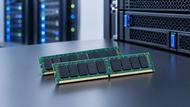
Buying memory for a server takes more thought than choosing a high capacity DIMM and installing it. The processor, motherboard, workload, memory channels and upgrade plan all affect which modules are suitable. In a business environment a poor choice can lead to compatibility problems, reduced performance or a more complicated upgrade later.
In 2026, DDR5 is the main direction for new server platforms while DDR4 remains relevant across current systems. Newer technologies such as MRDIMM are also emerging for workloads that need very high memory bandwidth. For example AMD EPYC 9005 processors support DDR5 across 12 memory channels at speeds up to 6,400 MT/s on supported configurations.
Server RAM keeps frequently used applications, data and processes readily available to the processor. That becomes especially important when a system is handling some virtual machines, databases or business applications at the same time.
Server platforms are built around different reliability and capacity requirements than typical desktop systems. Depending on the platform they may support ECC capable memory, registered DIMMs or load reduced DIMMs. ECC can detect and correct certain memory errors which is valuable when reliability and data integrity matter. DDR5 also has On Die ECC but this is different from the system level ECC used for server reliability.
Compatibility deserves just as much attention as capacity. A DIMM can fit physically and still be unsupported because the processor, motherboard, memory generation, rank, speed or population configuration does not match.
The main module types are RDIMM, LRDIMM and on compatible DDR5 platforms MRDIMM. Each is designed for different requirements so they should not be treated as similar
RDIMM stands for Registered DIMM. A register buffers address and command signals between the memory controller and DRAM helping supported server platforms handle larger configuration.
RDIMMs are available in DDR4 and DDR5 and are extensively used for virtualization, databases, general business applications and mixed workloads. For many organizations they offer a practical balance between capacity, performance and cost.
LRDIMM means Load Reduced DIMM. Its buffering design reduces the electrical load on the memory controller allowing compatible systems to support higher memory capacities.
This makes LRDIMMs useful for high density configurations particularly where virtualization or database workloads need more RAM than a standard RDIMM setup can provide. The trade off is price so the added density should address a genuine capacity requirement.
RDIMM and LRDIMM configurations are platform dependent. On systems that do not support the combination the two types should not be mixed.
MRDIMM stands for Multiplexed Rank DIMM. It is a newer DDR5 option aimed at workloads where memory bandwidth is a major performance consideration.
That makes it relevant to AI, HPC, analytics and other demanding applications. MRDIMM is still a specialized platform option so the processor and server must clearly support it before you consider it for an upgrade.
DDR4 and DDR5 are different generations and are not interchangeable. The processor and motherboard determine which one a server supports so moving between them is normally a platform decision.
DDR4 remains common in established infrastructure with supported server platforms reaching up to 3,200 MT/s. Newer DDR5 platforms provide higher bandwidth and are becoming the standard foundation for current server designs.
For a new placement in 2026 DDR5 is generally the better direction for long term expansion. That does not mean a working DDR4 server should automatically be replaced. For current infrastructure, consider the system's service life, workload demands, replacement part availability and planned refresh cycle before making the switch.
Also, a higher rated server memory speed does not guarantee that the server will run at that speed. Processor and platform limits still apply.
Capacity should match the workload rather than the other way around. A file server may need relatively little memory, while a virtualization host or AI system can require hundreds of gigabytes.
For smaller web servers, file services and lightweight business applications 16-64 GB can be a sensible starting range. Actual requirements will depend on users, software, traffic and concurrency.
There is also a practical upgrade consideration using suitably sized modules can leave room for future expansion instead of filling every slot unnecessarily.
Virtualization can consume memory fast because every active virtual machine needs its own allocation. 128-512 GB is a useful planning range for many hosts while larger environments may need considerably more.
Account for the hypervisor, guest working systems, applications, overhead and expected VM growth. Memory channel placement matters as well because an unbalanced configuration can affect available bandwidth and performance.
Database systems may require 64-256 GB or more depending on database size, caching, concurrency and application design.
Capacity is not the only consideration. Stable process, ECC support, platform validation and an appropriate population strategy all matter when the system is handling business critical data.
AI and HPC systems can require 256 GB to 2 TB or more, depending on the application. Data preparation CPU side processing, checkpointing and accelerator workloads can all increase demand.
Bandwidth can become a limitation as well. High speed DDR5 and MRDIMM technologies are therefore more relevant in these environments. For configurations where ECC and RAS features are important check the platform's supported DRAM organization rather than making a blanket choice based on x4 or x8 alone.
Start with the server model, not the price tag. Check the processor, supported generation, DIMM type, maximum capacity, rank speed and manufacturer population rules before ordering.
Be cautious with unvalidated modules and unclear third party listings. A cheaper part is not necessarily a better purchase if its compatibility or provenance cannot be established.
Refurbished or grey market modules also deserve more scrutiny. Look for clear manufacturer information, testing, warranty coverage and reliable after sales support before using them in production systems.
Consumer or gaming RAM should not automatically be substituted for enterprise modules. Server platforms can have different requirements for ECC, buffering, memory organization and validation.
Mixing modules can cause problems too. Some systems allow specific capacity or x4/x8 combinations, while others do not. The rules are platform specific so follow the server manufacturer's installation guidance rather than assuming one configuration will work everywhere.
Mixed speed modules may also work at the speed of the slowest installed module on supported systems.
Finally, plan for power, cooling and future expansion. A high density configuration needs to stay within the server's thermal and electrical limits as well as its memory specifications.
Choosing the right Server Memory starts with understanding the platform and the workload. Confirm the supported generation, select the suitable module type, calculate realistic capacity and follow the manufacturer's population rules.
For new infrastructure in 2026, DDR5 is generally the direction to build toward while DDR4 remains useful for current placement. RDIMMs cover many mainstream server workloads LRDIMMs can address supported high capacity requirements and MRDIMMs are aimed at specialized bandwidth intensive systems.
Newtown Spares can help businesses source suitable memory modules for different server requirements. Before purchasing provide the exact server model, processor, current module specification or manufacturer part number so compatibility can be checked accurately.
For broader RAM planning readers can also explore Memory Reality Check: How Much Computer RAM Does Your PC Exactly Need in 2026? to see how memory requirements change across different computing workloads.
A: It is RAM designed for server platforms. Depending on the system it can include features such as ECC and registered or load reduced architecture.
A: It refers to the RAM installed in a server to support its working system, applications, databases, virtual machines and active workloads.
A: Not always. Some workplaces support certain ECC technologies, but typical consumer systems may not support registered or load reduced modules.
A: It depends on the workload. Light systems may use 16-64 GB, virtualization hosts can reach 128-512 GB and AI or HPC systems may require hundreds of gigabytes or some terabytes.
A: Yes. Server grade modules are built around platform requirements such as ECC, memory architecture, capacity and specific population rules.
A: Newtown Spares can help businesses source suitable modules for virtualization environments. The server model, processor, supported memory type and required capacity should be confirmed before purchase.

Posted Sep 07, 2023

Posted Sep 07, 2023

Posted Sep 06, 2023

Posted Sep 05, 2023

Posted Sep 01, 2023

Posted Aug 30, 2023

Posted Aug 30, 2023