
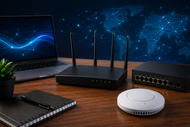
A: Networking devices receive data, read the addressing information, and send it to the correct device or network. Routers move traffic between networks, while switches manage local connections, and gateways translate between unlike systems.
A fast internet plan cannot fix weak hardware. Routers, switches, cables, access points, and security controls shape network performance. Poor choices cause dead zones, dropped calls, slow transfers, and security gaps.
Homes connect phones, televisions, cameras, consoles, appliances, and computers. Offices add servers, cloud tools, voice systems, and Door Access equipment.
Large companies link buildings. Today, you’ll learn what each device does and how to buy for your network size, speed needs, and risks.
Networking devices devices connect computers and equipment so they can exchange data. They direct traffic, extend coverage, join network sections, convert signals, and control access.
A router sends traffic between separate networks, such as a home network and the internet. A switch connects wired devices inside one LAN.
Other devices handle wireless access, signal conversion, security, or distant links. Together, they form Computer Networking.
A computer network has four main groups of parts. End devices include computers, servers, printers, phones, cameras, and IoT equipment. Networking Devices include routers, switches, hubs, bridges, gateways, access points, and firewalls.
Ethernet and fiber carry wired data, while Wi-Fi and cellular signals carry wireless data. Security systems inspect traffic and control access. Firewalls block unwanted connections, while identity tools and Door Access systems separate staff, visitors, cameras, and building controls.
Hardware choices also depend on processors, memory, power supplies, ports, and replacement parts. Read our Ultimate Guide to Computer Hardware Parts & Replacements in 2026 to see how networking equipment connects with other hardware.
Routers connect different networks and choose where data should travel. Home routers combine routing, Wi-Fi, firewall controls, and Ethernet ports. Business routers may add VPN support, backup links, rules, and reporting.
Switches manage communication within a LAN. They learn which device uses each port and send data to the correct destination.
Choose a managed switch for VLANs, monitoring, access rules, and remote control. Power over Ethernet, called PoE, can run cameras, phones, access points, and Door Access readers through one cable.
A hub copies data to every connected port. It cannot identify the receiver or manage traffic well, which wastes capacity and weakens privacy. Hubs appear in old systems or test rooms, but switches suit new setups.
Bridges join two network segments and filter traffic. Modern switches perform this job across many ports. Wireless bridges can connect buildings or carry a link where cable installation is difficult.
Gateways connect systems using different rules, formats, or services. A router can act as a default gateway. Others translate industrial, voice, cloud, or smart-building traffic. Check protocol support because incompatible gateways cannot communicate.
A Transceiver sends and receives network signals. SFP, SFP+, SFP28, QSFP, and related modules let switches and routers use copper or fiber at chosen speeds and distances. Match the module, connector, fiber mode, wavelength, length, and support list.
LAN & WAN Modules add ports or connection types to modular routers, switches, and security appliances. A LAN module adds Ethernet or fiber inside a site. A WAN module may connect broadband, fiber, leased lines, or cellular service. Check slot type, software, throughput, and licensing.
To answer how to choose the right networking device for home use, start with the floor plan and device count. A small apartment may need one router. A large or multi-story home may need mesh or wired access points.
Match the router to your internet speed, but ignore the advertised wireless total. It combines ideal results across several bands. Check port speeds, Wi-Fi generation, coverage, updates, and capacity. Wi-Fi 6 suits many homes.
Wi-Fi 6E or Wi-Fi 7 better fits newer devices, busy rooms, and faster plans. Tri-band equipment can give mesh nodes more radio space.
Use WPA3 where supported, turn on automatic updates, replace default passwords, and create a guest network for visitors and less trusted smart devices.
People asking what networking device do I need for office setup should count users, ports, coverage areas, phones, cameras, printers, and cloud traffic. Most offices need a business router or firewall, managed switches, and access points.
Count every Ethernet connection, then leave spare ports. Check the switch’s PoE power budget, not its PoE port count alone.
Separate staff, guests, cameras, voice devices, and Door Access equipment with VLANs. Choose a router that can handle full internet speed while inspection and VPN services stay active.
Enterprise Networking supports many users, sites, applications, and security rules. Enterprise networking devices for IT infrastructure include high-capacity routers, managed switches, wireless controllers, firewalls, load balancers, Transceiver modules, and WAN equipment.
Multi-location companies may use fiber, broadband, 5G, private links, or software-defined WAN connections.
Redundant power, duplicate links, replaceable modules, and failover paths limit outages. Network teams should place Door Access, cameras, sensors, and building systems in controlled segments, away from staff computers.
Central management lets IT teams review configurations, alerts, traffic, software, and administrator rights across every site.
Speed labels need context. A 1 Gbps port cannot carry more than 1 Gbps, regardless of the wireless claim. Faster plans, Wi-Fi 7 access points, servers, and storage may justify 2.5, 5, 10, 25, or 100 Gbps links in selected areas.
Wired links give steady speed and low delay for desktops, servers, cameras, and access points. Wireless links allow movement and easier installation. Most offices need both.
Check client limits, routing and firewall throughput, VPN speed, switching capacity, memory, and PoE budget. Latency matters for calls, games, remote desktops, and industrial control. Buy equipment with spare ports, supported software, replaceable Transceiver options, and faster uplinks.
Price alone does not show fit. Cheap hardware becomes costly through downtime, weak coverage, or early replacement.
Buyers also misjudge network size by counting people instead of devices. One worker may use a laptop, phone, desk phone, tablet, and shared systems.
Another mistake is buying high wireless speed while ignoring slow Ethernet ports. Buyers also skip support periods, updates, VLAN controls, PoE limits, fan noise, and license fees.
Home devices may struggle in busy offices because they lack memory, reporting, remote control, network separation, and failover. Plan for growth, but do not pay for features your team cannot manage.
AI-based network tools will study traffic, detect unusual behavior, suggest settings, and help find faults. Cloud-managed systems will give IT teams one control panel for switches, access points, routers, and security devices.
5G will keep serving backup links, temporary offices, vehicles, and places without fixed service. 6G work remains in the standards and testing stage, with IMT-2030 aimed at the period around 2030. Buyers in 2026 should not purchase hardware based on vague 6G claims.
Self-healing systems will reroute traffic, restart failed services, or adjust radio settings after detecting trouble.
Security will move closer to each user and device through identity checks, network separation, encrypted management, and continuous monitoring.
The right network starts with a count of users, devices, rooms, sites, and risks. Home buyers should focus on coverage, current Wi-Fi support, safe settings, and port speeds.
Offices need managed switches, business security, PoE planning, and separate network groups. Enterprise buyers need redundancy, central control, faster uplinks, and tested growth paths.
Buy for measured needs, not the largest number on the box. Check how each router, switch, gateway, module, and Transceiver fits before ordering.
A: Networking devices receive data, read the addressing information, and send it to the correct device or network. Routers move traffic between networks, while switches manage local connections, and gateways translate between unlike systems.
A: Measure the home, count connected devices, note your internet speed, and identify weak coverage areas. Choose a supported router or mesh system with suitable Wi-Fi, secure encryption, fast enough ports, and regular software updates.
A: Most offices need a business router or firewall, managed switches, wireless access points, and suitable cabling. The exact number depends on employees, rooms, wired devices, PoE equipment, internet speed, and growth plans.
A: They include high-capacity routers, managed switches, firewalls, wireless systems, WAN devices, gateways, optical modules, and central management tools. Enterprises also use duplicate links and power systems to keep services running during failures.
A: Firewalls inspect traffic, VLANs separate device groups, encryption protects wireless data, and identity rules control access. Updates, monitoring, strong passwords, and limited administrator rights close many common attack paths.
A: Bandwidth sets the amount of data a link can carry, but it does not guarantee fast service by itself. Processing power, port speed, signal quality, client load, latency, cabling, and security inspection can also limit performance.

Posted Sep 07, 2023

Posted Sep 07, 2023

Posted Sep 06, 2023

Posted Sep 05, 2023

Posted Sep 01, 2023

Posted Aug 30, 2023

Posted Aug 30, 2023