
A: Training labs, demonstration setups, engineering test benches, and older wired installations where the connected equipment was built for 10 or 100 Mbps half-duplex links.
A network hub is one of the oldest pieces of Ethernet hardware still sitting in equipment cupboards around the world. It does one job.
It takes an electrical signal arriving on one port, cleans it up, and pushes it back out of every other port on the box. No addresses, no decisions, no memory of what happened a second ago.
That behaviour sounds crude next to a modern switch, and it is. But hubs haven't vanished. They keep showing up in training labs, on test benches, and inside older wired installations where the attached equipment was built long before gigabit links existed.
A hub works at the physical layer, layer 1 of the OSI model. Engineers call it a multiport repeater, and that name describes it better than "hub" does. It amplifies and retimes the incoming signal so it can travel further without degrading, then copies it to all remaining ports.
It reads nothing. A hub has no MAC address table, no buffers, and no idea whether a frame is a broadcast or a unicast. Hubs gave Ethernet its star wiring shape when 10BASE-T arrived, replacing the thick and thin coax runs that came before.
Every port on a hub belongs to one collision domain. That single fact shapes everything else. Devices run half-duplex and take turns using CSMA/CD, which means each station listens before it sends and backs off when two transmissions overlap.
An 8-port 10 Mbps hub doesn't give you 80 Mbps. It gives eight devices a share of the same 10 Mbps. Push the traffic hard enough and collisions eat into the usable throughput well before you reach the rated speed.
Hubs suit small, low-traffic, tightly controlled segments. Think of a five-device training rack, a bench used to debug an embedded controller, or a machine on a factory floor that still talks over a 10 Mbps card. They also suit anyone who wants every packet copied to a listening port without configuring anything.
Common hubs shipped with 4, 5, 8, 12, 16, or 24 RJ45 ports. Many included an uplink port with a crossed pinout so you could chain one unit to another without a crossover cable.
Chaining has hard limits. Ten-megabit Ethernet follows the 5-4-3 rule: up to five cable segments, four repeaters, and only three segments carrying end devices. Fast Ethernet is stricter, allowing one Class I repeater or two Class II repeaters inside a collision domain that spans roughly 200 metres.
Most units handled 10BASE-T over Cat3 or Cat5 copper. Later models added 100BASE-TX, and dual-speed hubs ran two internal segments, one at 10 and one at 100, joined by a small bridge inside the chassis. Older industrial models sometimes carried a BNC connector or an AUI port for coax and transceiver links.
Gigabit repeater hubs exist on paper in the standard, but nobody built them for the market.
Because every frame lands on every port, a laptop running a packet analyser on port 8 sees traffic between ports 1 and 2 with zero setup. Engineers loved that for troubleshooting. Security teams didn't, since the same property hands all traffic to anyone who plugs in.
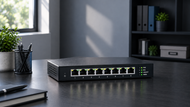
A basic hub has no IP address, no console port, and no menu. You give it power, plug in cables, and read the LEDs: link, activity, and a collision light that flickers hard when the segment gets busy. Passive hubs only join wires together. Active hubs regenerate the signal. Managed or intelligent hubs added SNMP reporting and per-port statistics, though they were the minority.
There's nothing to configure, so nothing to configure wrongly. No VLANs, no spanning tree, no firmware version to match. A technician can build a working segment in the time it takes to run the patch leads.
No config file means no backup, no restore, and no password reset when someone leaves. If a hub fails, you swap the unit and the segment comes back exactly as it was. Fewer moving parts in software means fewer surprises during a night shift.
Hubs were cheap when they were current, and that shaped decades of small office wiring. The picture has flipped in 2026. Genuine hubs are scarce, so a working unit can cost more than an unmanaged switch with twice the ports. The saving now comes from keeping an old installation running instead of rewiring it.
A hub makes invisible behaviour visible. Students watch the collision LED react to load, measure how throughput sags as stations are added, and capture broadcast traffic without touching a single setting. That hands-on view of shared media teaches CSMA/CD better than any diagram.
University labs and certification courses still keep a few hubs on the shelf. They're used to build a collision domain on purpose, then split it with a switch so learners can compare the two side by side.
Product demos, protocol walkthroughs, and internal training sessions benefit from a device that copies everything everywhere. Presenters can show how ARP floods a segment or how a broadcast storm builds, with all the evidence landing on one screen.
Plenty of older machine controllers, printers, test instruments, and building systems shipped with 10 Mbps half-duplex cards. Some of them negotiate poorly with modern switch ports. A small hub between the device and the wider network gives them the shared, half-duplex link they expect.
Placing a hub inline is the oldest trick in packet capture. It needs no port mirroring, no tap hardware, and no switch access. The catch is that it forces the link to half-duplex and caps it at 100 Mbps, so it only suits low-speed segments and short diagnostic sessions.
Ethernet started life on coax. 10BASE5 ran thick cable with vampire taps, and 10BASE2 used thin coax with T connectors. Both shared one wire, and one bad connector could drop the whole run.
Twisted pair and the repeater hub arrived together, bringing structured cabling to the desk. Fast Ethernet followed and lifted shared segments to 100 Mbps. Bridges appeared to split traffic into smaller collision domains, which was the first real crack in the hub's position.
Switching silicon got cheap in the late 1990s. A switch gives each port its own collision domain, runs full duplex, and stops copying traffic to stations that don't need it. Once the price gap closed, buyers stopped choosing hubs, and manufacturers wound production down through the mid 2000s.
Hub behaviour is still the reference point for explaining why full duplex matters and how switching changed Ethernet performance. That teaching value, plus spares for installed equipment, keeps the hardware in circulation.
If you're deciding between shared media and switched ports for a particular job, read our Comprehensive Guide to Hubs & Switches: All You Need to Know (2026), which places both device families side by side and covers how each one handles traffic, ports, and performance.
Count your devices, add the uplink, then add one or two spare ports. Chaining hubs to gain ports pushes you against repeater limits fast, so buying a single larger unit beats stacking three small ones.
Shared capacity is the constraint. Keep the number of active talkers low and keep heavy traffic off the segment. File transfers, backups, and video streams will flood a hub and slow everyone attached to it.
Confirm the speed the hub supports and match it to the devices. Check cable grade, and remember that older units rarely include auto MDI-X, so hub-to-hub links may need a crossover lead or the marked uplink port. Hubs don't carry Power over Ethernet, and they won't run gigabit.
There's no traffic isolation, no filtering, and no protection from a chatty device. Segments cap at 100 metres per copper run, and a port showing constant collisions may auto-partition itself to protect the rest of the box. Plan for those limits before installation, not after.
New hubs aren't being made. Supply comes from old stock, refurbished units, and spares held by industrial buyers.
Sites that can't rewire or replace certified machinery will keep using them. In those places, a hub is a maintenance item, sourced the same way as any other legacy spare.
Simulators reproduce hub behaviour well, and courses lean on them. Physical units still earn their place where learners need to see real cables, real LEDs, and real collisions.
Managed switches, PoE, multi-gigabit links, and time-sensitive networking now cover the work hubs once did, with traffic control and monitoring built in.
Hubs earned their place by making wired Ethernet simple to install when nothing else could. That same simplicity now limits them to small segments, legacy gear, teaching racks, and short diagnostic jobs.
If you understand the shared collision domain and size the segment around it, a hub still does honest work. For anything carrying real traffic, a switch is the right tool.
A: Training labs, demonstration setups, engineering test benches, and older wired installations where the connected equipment was built for 10 or 100 Mbps half-duplex links.
A: Yes, within limits. They support 10BASE-T and 100BASE-TX over twisted pair and work as repeaters inside a single collision domain. They don't support gigabit speeds or full-duplex operation.
A: Port count, expected traffic load, device speed, cable type, crossover requirements for chaining, and the 100 metre segment limit. Also accept that all traffic will be visible on every port.
A: They show shared media behaviour that switches hide. Learners can observe collisions, back-off timing, and broadcast traffic directly, and capture packets without configuring port mirroring.
A: Isolated segments with few devices and light traffic: machine controllers, older test instruments, small demonstration racks, and debug setups for embedded devices.
A: Single units commonly offer 4 to 24 ports. The Ethernet standard allows up to 1024 stations in one collision domain, but performance falls apart long before that. Keeping active devices in the single digits is far more realistic.

Posted Sep 07, 2023

Posted Sep 07, 2023

Posted Sep 06, 2023

Posted Sep 05, 2023

Posted Sep 01, 2023

Posted Aug 30, 2023

Posted Aug 30, 2023