
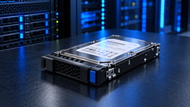
A: A Server Hard Drive is a storage device used in server environments to store applications, databases, files, backups and other business data.
When your business starts generating more data, storage can become a problem surprisingly quickly. Databases get bigger, backups need more room and applications keep adding new files and records. That is why Server Hard Drives still have a place in business IT. SSDs and NVMe are brilliant when speed and low latency are critical, but not every workload needs that level of performance. For backups, archives, file storage and large datasets, HDDs can still provide the capacity businesses need at a practical cost. The key is knowing where each storage option fits.
Why Enterprise Storage Still Matters
Think about the amount of information a business needs to keep available every day. Customer records, applications, employee files, backups and archived data can quickly add up. An enterprise Server Hard Disk can be a sensible choice when the main goal is reliable, high capacity storage rather than the lowest possible latency. Workload matters too. Seagate explains that drives have workload limits based on factors such as lifetime reads, writes and power on hours so choosing a drive should involve more than comparing capacity.
Storage Challenges in Modern IT
One server can handle some workloads and each can put different demands on storage. A database may be busy throughout the day, while a backup server may simply need enough space to retain recovery points. Virtual machines can create changing I/O patterns and archived data may hardly be accessed. Your Server Storage Drive also needs to work with the server's controller, backplane, interface, form factor and firmware. HPE documentation shows that backplane configuration can support different combinations of SAS, SATA and NVMe so compatibility should be checked before buying.
The Shift Toward Smarter Infrastructure
There is no reason to put every type of data on the same storage technology. A business can keep frequently accessed data on SSD or NVMe and use HDDs for larger less active datasets. SNIA describes tiered storage as a way to balance performance, capacity and cost with HDDs fitting well into capacity focused tiers such as backup and archival storage.
SATA, SAS and NVMe Explained
When you compare a Server Disk Drive you will usually come across SATA, SAS and NVMe. SATA is often a practical choice when capacity and cost matter most. SAS has a strong role in enterprise environments where reliable and scalable storage is required, while NVMe is mostly used with SSDs for high performance low latency workloads. The best choice depends on the server and application, so there is little value in paying for performance your workload does not actually need.
HDD vs SSD: Which Fits Your Environment?
HDDs and SSDs solve different storage problems. HDDs are generally attractive when you need a lot of space at a lower cost per terabyte, while SSDs make more sense for applications where fast response and intensive I/O are important.
|
Feature |
Server HDD |
Server SSD |
|
Storage technology |
Magnetic spinning media |
Flash memory |
|
Performance |
Best for capacity-focused workloads |
Best for performance-focused workloads |
|
Latency |
Higher |
Lower |
|
Cost per TB |
Generally lower |
Generally higher |
|
Best uses |
Backups, archives, file storage and large datasets |
Databases, virtualization, demanding applications |
|
Moving parts |
Yes |
No |
So, which one makes sense for your business? If you are storing years of backups or large file repositories, HDDs can be a practical option. For a busy database or application where response time matters, SSD or NVMe may be the better fit. Many businesses use both, matching each storage tier to the workload.
Matching Storage to Business Needs
Before choosing a Server Storage Drive, look at the job it will actually perform. Consider capacity, read/write activity, I/O intensity, RAID requirements, interface, backplane support, form factor, power, cooling, vendor support and future expansion. A backup source and a production database can have completely different requirements, even when they need similar amounts of storage. Checking the manufacturer's workload specifications is also valuable because drive families are designed for particular levels of activity.
Database Servers
Databases can generate common reads and writes, so storage performance can affect application responsiveness. High transaction workloads may benefit from SSD or NVMe, while HDDs can still be useful for old records, reporting data, archives or secondary storage tiers where ultra low latency is not important.
AI and Machine Learning Infrastructure
AI projects can generate enormous amounts of data, from training datasets and checkpoints to model files and old information. Not every part of that data needs to stay on the fastest storage though. High capacity Server Hard Drives for enterprise data storage can provide room for large repositories, while SSD or NVMe can handle active processing. IBM notes that AI storage must deal with large datasets, scalability and high speed access, while tiered architectures can help balance performance and cost.
Virtualization Platforms
Virtualization puts many workloads on shared physical resources which can increase storage pressure. Busy virtual machines may benefit from SSD or NVMe, while less demanding workloads can use enterprise HDD tiers. The right balance depends on the number of VMs, application behavior and how much storage performance the environment actually needs.
File Servers
File servers usually need a sensible mix of capacity, reliability, accessibility and cost. Enterprise HDDs can work well for shared documents, media, departmental folders and other business data where every request does not need flash level performance.
Backup and Disaster Recovery
Backup systems can consume storage faster than expected, especially when businesses retain several recovery points. That makes high capacity HDDs useful for many backup repositories. It is important to remember that RAID and backup are not the same thing. RAID can improve availability during certain drive failures but it does not replace an independent backup strategy.
Cloud Hosting Environments
Cloud and hosting providers often deal with some workload types at once. Faster storage can serve demanding applications, while HDD based tiers can hold larger capacity focused datasets. SNIA's tiered storage guidance describes this kind of approach as a way to balance workload requirements, performance, capacity and cost.
Planning for Business Growth
The amount of storage you need today may look sufficient but data growth can change that quickly. Before buying an Enterprise Server Hard Drive consider backup retention, application growth, new users, available drive bays, controller limitations and future expansion. Planning ahead can make the next upgrade much easier.
RAID and Redundancy
RAID can help maintain availability when certain drives fail but the right configuration depends on the workload, number of drives, capacity, performance and failure tolerance required. Keep the purpose clear RAID provides redundancy while backups provide recoverable copies of important data.
Storage Expansion Without Downtime
If taking a server offline would disrupt the business, storage expansion needs to be planned carefully. Hot-plug support, controllers, drive carriers and backplane configuration all matter. HPE's documentation shows that supported storage can vary by backplane and server configuration which is why platform specific compatibility checks are important.
Using Consumer Drives
A consumer drive may look attractive because it costs less but server workloads can place very different demands on storage. Check workload requirements and manufacturer specifications before choosing a drive instead of looking only at price and capacity.
Ignoring Compatibility
A drive can fit physically and still be unsupported. Interface, controller, backplane, firmware, form factor, carrier and maximum capacity should all be checked before ordering.
Poor Capacity Planning
Looking only at advertised capacity can give you the wrong picture. RAID overhead, backups, application growth and future expansion all affect how much usable storage you will have.
Delaying Drive Replacement
Waiting for a drive to fail completely can create unnecessary disruption. Monitoring available health information, errors, temperature and workload behavior can give your IT team more time to investigate and replace a problem drive.
Health Monitoring
Regular monitoring helps you understand what is happening with your storage. Depending on the hardware useful information can include SMART data, temperature, errors and workload activity. Catching unusual behavior early gives administrators more time to respond.
Firmware Management
Firmware can affect compatibility and stability so it should not be ignored after installation. Follow vendor recommendations and keep important updates documented as part of normal maintenance.
Temperature Control
HDDs contain moving mechanical components which means working conditions matter. Good airflow, functioning fans, sensible rack density and appropriate cooling can help keep drives within their specified limits.
Predictive Maintenance
Instead of waiting for failures IT teams can use monitoring data to spot possible problems earlier. Modern intelligent storage increasingly combines automation, analytics and machine learning for predictive analysis, automatic tiering and proactive troubleshooting.
AI-Powered Storage Management
AI is affecting storage from both sides: AI workloads are creating more data, while AI and machine learning are also being used to manage storage. Intelligent systems can analyze usage patterns, help predict capacity needs and automate some storage decisions.
High-Capacity Enterprise Drives
Enterprise HDD development continues to focus on higher capacities and storage density. That is especially useful for large repositories, backups, archives and other environments where businesses need plenty of space without moving every workload to flash.
Energy-Efficient Storage Technologies
As storage environments grow, power and cooling become part of the overall cost. Higher capacity storage can improve density but businesses should still consider the power requirements of the complete infrastructure when comparing solutions.
Smarter Data Protection Features
Modern storage increasingly combines monitoring, automation, analytics, redundancy and management tools. Instead of simply storing data, these capabilities help IT teams understand storage health, identify problems and manage growing environments more effectively.
Server Hard Drives remain a useful part of modern business storage in 2026. They can provide substantial capacity for backups, archives, file servers and large datasets, while SSD and NVMe storage can take care of workloads where speed and low latency matter more.
The important thing is to choose according to the workload. Look at capacity performance, compatibility, RAID, cooling, reliability, monitoring and future growth before choosing an Enterprise Server Hard Drive. For many businesses combining HDD and SSD storage is a practical way to balance capacity, performance and cost.
If you want the bigger picture on how storage technology works across all your devices, our Internal Hard Drive Guide for Gaming, Storage & Speed in 2026 breaks down capacity, speed, and drive types in depth. Reading it alongside this article gives you a full view of how storage choices, from your printer to your PC, shape performance and security across the whole business.
A: A Server Hard Drive is a storage device used in server environments to store applications, databases, files, backups and other business data.
A: Start with the workload then consider capacity read/write activity, interface, RAID, compatibility, cooling and future expansion.
A: SSDs are better suited to many performance sensitive workloads but HDDs remain useful for high capacity storage such as backups, archives and large repositories.
A: There is no universal lifetime. Workload, temperature, working conditions, drive model and usage all affect service life so monitoring and manufacturer specifications are better guides.
A: Maintain good cooling stay within the drive's workload limits, monitor health indicators, manage firmware properly and replace drives proactively when needed.
A: Yes. Particularly for large datasets, archives and other capacity focused storage. SSD or NVMe is generally better for active workloads that need very fast data access.
A: Check the exact server model, controller, backplane, interface, form factor, firmware requirement, carrier and supported capacity before purchasing.

Posted Sep 07, 2023

Posted Sep 07, 2023

Posted Sep 06, 2023

Posted Sep 05, 2023

Posted Sep 01, 2023

Posted Aug 30, 2023

Posted Aug 30, 2023