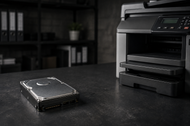
Most people picture a printer as a simple machine that pushes paper out. That idea stopped being true years ago. The printer sitting in your office is closer to a small computer, and a big part of what makes it work is the Printer Hard Drive tucked inside it.
A Printer Hard Drive stores print jobs, saves scanned files, holds fonts and forms, and keeps track of documents moving through the machine.
In a busy office, that storage is doing quiet work all day. It decides how fast large jobs go through, how many people can print at once without things jamming up, and whether the private files you print stay private.
Print volumes keep climbing, remote work spreads jobs across more devices, and document security is now a boardroom topic instead of an IT afterthought. The storage inside your printer sits right in the middle of all of that.
Understanding Printer Hard Drives
What Is a Printer Hard Drive?
A Printer Hard Drive is the storage unit built into a printer or multifunction device that holds print jobs, scanned documents, saved settings, and other data the machine needs to run.
Think of it the same way you think of the drive in a laptop. It keeps information so the printer does not have to start from scratch every time you hit print.
You will hear it called a few different names. Printer Hard Disk, Printer Storage Drive, Printer Disk Drive, and Printer HDD all point to the same thing.
Some newer machines use solid-state storage instead of a spinning disk, which is faster and has no moving parts, but the job is the same. Store the data, serve it quickly, keep it safe.
How Printer Hard Drives Work in Modern Printers
When you send a document, the printer does not always print it the second it arrives. It often copies the file to its drive first, lines it up in a queue, and then prints in order. This is called spooling. It frees up your computer right away and lets the printer manage several jobs without choking.
The drive also holds onto reusable data. Fonts, logos, letterhead templates, and forms often live on the disk so the machine can pull them instantly instead of downloading them again for every page.
On copiers and scanners, the drive stores the image of whatever you scanned until it finishes sending or printing. All of this happens in the background, which is why most users never think about it.
Key Components of Printer Storage Systems
A printer storage system is more than the disk alone. It usually includes the drive itself, a controller that manages what gets written and read, memory that acts as a fast working space, and firmware that runs the whole show.
The controller is the traffic manager. It decides which job writes first and which one prints next.
Good storage systems also include a security layer. That means encryption for stored files and tools that wipe data once a job is done. Without those pieces, every document you ever printed could sit on the disk waiting for someone to find it.
Key Performance Factors of Printer Hard Drives
Storage Capacity and Data Handling
Capacity decides how much the printer can hold at once. A drive with more room can queue up more jobs, store more scanned files, and keep more reusable templates ready.
For a small team, this matters less. For a busy department pushing thousands of pages a day, a small drive fills up fast and starts to slow things down.
Capacity also affects features like saved jobs and reprints. If your staff often reprints the same forms or pulls up documents scanned earlier in the week, a roomier drive makes that possible without clearing space every few hours.
Read and Write Performance
Speed is not just about how fast the printer prints. It is about how fast the drive can take in a file and hand it back out. A slow drive becomes a wall that every job has to climb over.
A fast one moves data quickly so the print engine never sits idle waiting for the next page.
This is where solid-state Printer Storage Drives pull ahead. They read and write much faster than spinning disks, which shows up clearly when someone sends a heavy file full of graphics.
Processing Large Print Jobs Efficiently
Big jobs are where a good drive earns its keep. A 400-page report with images and charts is a lot of data. The printer breaks it down, stores the pieces, and feeds them to the print engine in order.
A drive that handles this smoothly keeps the pages flowing. A weak one stutters, pauses, and makes everyone wait.
Offices that print manuals, legal bundles, or large presentation decks feel this difference every single day.
Impact on Workflow Productivity
Add all of this up, and you get the real point of storage: keeping work moving. When the drive is fast and roomy, people send jobs and walk away.
When it is slow or full, they stand at the machine, jobs stack up, and small delays turn into daily frustration. Storage that fits your volume quietly saves hours across a whole team.
Essential Features of Modern Printer Hard Drives
Secure Data Storage Capabilities
Here is something many people do not realize. Every document that passes through a printer can leave a copy on its drive. Payroll sheets, contracts, medical records, tax files.
If that data sits there unprotected, the printer becomes a leak waiting to happen. Modern Printer Hard Drives fix this with secure storage that controls what gets kept and for how long.
Encryption and Access Control Features
Encryption scrambles stored files so they mean nothing to anyone without the key. Even if someone pulls the physical disk out of the machine, the data reads as garbage. Access control adds another wall.
Staff signs in with a PIN, a badge, or a login before a job releases, so a sensitive document does not sit face-up in the output tray for anyone to grab. Together these features make Secure Printer Storage a real thing rather than a marketing line.
Print Queue Management Functions
The drive runs the print queue, holding jobs in order and letting people pause, reprint, or cancel without touching another machine.
Secure release printing is part of this too. Your job waits on the drive until you walk over and sign in, then it prints. Nothing sits in the tray unclaimed, which cuts both waste and risk.
Compatibility with Enterprise Printing Systems
Large offices run print management software that tracks usage, sets rules, and reports costs. A capable Printer HDD works hand in hand with these systems.
It stores the job data those tools need and follows the rules they set, which keeps a fleet of printers acting like one organized system instead of a room full of separate machines.
Benefits of Printer Hard Drives for Businesses
Improved Document Management
With a solid drive inside, your printers become part of how you handle documents, not just how you print them. Scanned files can route straight to folders or email.
Frequently used forms sit ready to reprint. Saved jobs cut down on repeat work. This is a core part of the Benefits of Printer Hard Drives in modern business printing.
Better Workflow Automation
Storage makes automation possible. A machine that remembers settings, holds templates, and routes scans on its own removes small manual steps that add up over a week.
Staff spends less time fiddling with the printer and more time on actual work.
Enhanced Security for Sensitive Documents
This is the benefit that keeps IT teams up at night, and the one storage solves best. Printer Hard Drives for data security and document storage give you encryption, secure release, and clean wiping of old files.
Sensitive documents stay locked down from the moment they hit the drive to the moment they are erased.
Reduced Printing Delays and Bottlenecks
Nobody likes waiting at the printer. Good storage spools jobs fast, manages the queue well, and handles big files without stalling.
That means fewer bottlenecks, shorter lines at the machine, and a print setup that keeps pace with the people using it.
Printer Hard Drives for Different Business Environments
Small Office Printing Systems
A small team rarely needs huge storage, but even here a drive helps. It smooths out spooling, holds a few saved jobs, and adds basic secure printing so private documents do not sit exposed. The goal is reliable, tidy printing without fuss.
Corporate and Enterprise Printing
Big companies live and die by their print fleets. High volume, many users, strict rules. Here you want large, fast drives with full encryption and tight integration with print management software. Printer Hard Drives for secure business printing are not optional at this scale. They are the backbone.
Educational and Government Organizations
Schools, universities, and government offices print in bursts and handle plenty of records that must stay protected. Storage that supports user login, tracks usage, and wipes data cleanly fits these settings well. It keeps costs visible and keeps private information where it belongs.
Healthcare and Financial Institutions
These are the strictest cases. Hospitals print patient records. Banks print statements and account details. Rules here are firm, and a leaked document is a serious problem. Encrypted storage, secure release, and reliable wiping are must-haves. For these organizations, Secure Printer Storage is a compliance requirement, not a nice extra.
Common Printer Hard Drive Challenges and Solutions
Slow Print Processing
If large jobs crawl, the drive is often the reason. An older spinning disk or a nearly full one drags everything down. The fix is usually a faster drive, often a solid-state one, or clearing out stored data that no longer needs to be there.
Storage Capacity Limitations
A full drive rejects jobs, slows spooling, and blocks saved features. The answer is sizing storage to your real volume from the start, then clearing old scans and finished jobs on a regular schedule so space never runs out at the worst moment.
Security Vulnerabilities
An unprotected drive is a quiet risk. Default passwords, no encryption, and old firmware all leave a door open. Close it by turning on encryption, requiring sign-in for sensitive jobs, updating firmware regularly, and always wiping the drive before a printer leaves the building.
Maintenance and Reliability Issues
Spinning drives wear out over time, and a failure can wipe stored jobs or take a machine offline. Regular firmware updates, occasional health checks, and moving to solid-state storage where it fits all cut the risk of a sudden breakdown.
Future Trends in Printer Hard Drive Technology
AI-Powered Print Management
Print management is getting smarter. Systems now spot unusual activity, predict when a drive is filling up, and flag security risks before they turn into problems. As this grows, the storage inside your printer becomes an active part of a system that watches and manages itself.
Cloud Printing and Hybrid Storage Systems
Cloud printing lets people send jobs from anywhere, and hybrid setups mix on-device storage with cloud storage. The local drive still matters here. It handles the printing while the cloud handles access and sharing, giving remote and in-office staff one smooth way to print.
Increasing Focus on Print Security
Security is only getting more serious. Expect stronger encryption as standard, tighter access rules, and better wiping tools built right in. Regulators and IT teams are both pushing this, and printer storage is a big part of the answer.
Future Role of Printer Hard Drives in Smart Workplaces
In the connected office of the near future, printers talk to other systems, follow company-wide rules, and manage their own storage. The Printer Hard Drive stays at the center of that, quietly storing, protecting, and serving documents as part of a wider smart setup.
Conclusion
A Printer Hard Drive shapes two things that matter most in business printing: speed and safety. The right drive keeps jobs moving without delays and keeps sensitive documents locked down from start to finish. Understanding How Printer Hard Drives improve print performance and security helps you see the printer as the smart device it really is.
Pick storage that matches your workload. Small teams can keep it simple. High-volume offices need fast, roomy drives with strong encryption. Regulated fields like healthcare and finance should treat secure storage as a firm requirement. Match the drive to how you actually print, not to a spec sheet.
Good printer storage pays off quietly for years. It saves time, cuts waste, protects private data, and keeps your print setup running smoothly as your needs grow. It is one of those investments you stop noticing precisely because it works.
If you want the bigger picture on how storage technology works across all your devices, our Internal Hard Drive Guide for Gaming, Storage & Speed in 2026 breaks down capacity, speed, and drive types in depth. Reading it alongside this article gives you a full view of how storage choices, from your printer to your PC, shape performance and security across the whole business.
Frequently Asked Questions
A: A Printer Hard Drive stores print jobs, scanned files, fonts, forms, and settings so the printer can work faster and handle several tasks at once. It spools jobs, holds reusable data, and, on modern machines, keeps sensitive documents encrypted and secure until they are printed or wiped.
A: Yes. A good drive spools jobs quickly, manages the print queue, and handles large files without stalling. This means less waiting at the machine, fewer bottlenecks, and smoother printing for the whole team, which adds up to real time saved across a busy office.
A: They protect stored files through encryption, so data is unreadable without the key, and through secure release printing, which holds a job until the right person signs in. They also wipe old data cleanly, which stops sensitive documents from sitting on the disk long after printing.
A: Look for enough capacity for your print volume, fast read and write speeds, encryption, access control, secure release printing, and compatibility with your print management software. Reliable firmware and secure wiping before disposal round out a solid Secure Printer Storage setup.
A: For high-volume printing, a strong drive processes large jobs smoothly, queues many tasks at once, and prevents slowdowns. It keeps pages flowing during peak hours and supports saved jobs and reprints, which is exactly what busy departments need to stay productive.
A: Modern drives offer encryption for stored data, PIN or badge access control, secure release printing, and automatic data wiping after each job. Many also support firmware updates and secure erase before disposal, which together make up strong Secure Printer Storage.
A: They keep documents protected at every stage: encrypted while stored, released only to the right person, and erased once finished. This closes the gaps where sensitive files often leak and turns the printer into a controlled, trusted part of your document workflow rather than a hidden risk.