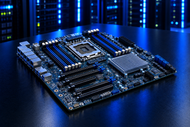
When a server has to handle virtualization, large databases, AI workloads or nonstop business applications the motherboard is far more than a place to install the CPU. Server motherboards determine how much memory a system can use, how many PCIe devices it can support, how storage and networking connect and how easily the platform cangrow. In 2026 server motherboard technology is evolving around DDR5 memory, PCIe 5.0 connectivity, NVMe storage and gradually demanding AI infrastructure. AMD EPYC 9005 processors support 12 DDR5 memory channels with up to 128 PCIe Gen 5 lanes in single socket designs and up to 160 in supported dual socket configurations while Intel Xeon 6 platforms support up to 12 memory channels and up to 192 PCIe 5.0 lanes in supported two socket systems
This guide is for IT managers, system administrators, developers, virtualization users, businesses, home lab enthusiasts and advanced PC builders who want to understand server motherboard technology before choosing a platform for work or personal use. It covers architecture, workloads, form factors, features, compatibility and practical buying considerations.
Server Motherboards in Modern Computing
In data centers and cloud setup server boards connect processors, memory, storage, networking hardware and accelerators. Their architecture influences memory capacity, I/O, storage options and expansion which makes platform selection important for virtualization, AI, databases and high performance computing.
Server boards are also useful in-home labs, development environments, media servers and advanced builds. ECC support extra PCIe connectivity and strong manageability can be more valuable for these workloads than gaming focused features. The important decision is not simply choosing an enterprise class board but matching its capabilities to the system's actual workload.
Core Architecture of Server Motherboards
CPU Support
Single socket systems suit small businesses, development servers, storage platforms and home labs that need strong performance without the added complexity of two CPUs.
Dual socket systems support two processors and are useful for virtualization, databases, analytics and demanding workloads requiring extra compute and memory resources.
Multi socket systems target specialized enterprise environments where very high compute and memory capacity explain the extra cost, power and platform complexity.
Memory System
Modern platforms usually use DDR5 ECC memory for higher bandwidth and improved data integrity. AMD EPYC 9005 and Intel Xeon 6 platforms support up to 12 memory channels although speed, capacity and DIMM compatibility vary by processor and motherboard.
When choosing a DDR5 server motherboard, check the supported DIMM type, slot count, memory population rules, maximum capacity and upgrade path rather than looking only at the amount of RAM included initially. Manufacturer validation is also important because memory support can differ by specific platform configuration.
Expansion & PCIe Lanes
Server motherboards with multiple PCIe slots can support GPUs, network cards, storage controllers, NVMe adapters and accelerators. AMD EPYC 9005 provides up to 128 PCIe Gen 5 lanes in single socket platforms and up to 160 in supported dual socket configurations. Intel Xeon 6 supports up to 192 PCIe 5.0 lanes in supported two socket servers.
Physical slot count is only part of the calculation. Check lane allocation, slot width, bifurcation support and bandwidth sharing before installing some high speed devices.
Storage Architecture
SATA and NVMe support allow a server to combine high capacity drives with faster storage. A server motherboard with NVMe storage support can be useful for working systems, virtual machines, databases and performance sensitive applications.
RAID can provide redundancy and performance depending on the configuration. Verify whether RAID is handled by the motherboards, a dedicated controller or software and make sure the chosen configuration matches the organization availability and recovery requirements.
Networking Hardware
Networking can range from 1GbE to high speed enterprise interfaces. Virtualization hosts, storage systems, AI infrastructure and high output applications may require several network ports or extra NICs through PCIe.
Server Motherboard Form Factors & Physical Design
Common layouts include ATX, E ATX, SSI EEB and proprietary server designs. Form factor affects chassis fit, airflow, power connections, cooling and expansion space. Rack systems may use boards designed for specific enclosures so verify dimensions, mounting points, power connectors, backplane compatibility and cooling requirements before purchase. A board that fits electrically but not physically can still create a placement problem.
Server Workloads from Home to Enterprise
Cloud & Virtualization
When evaluating the best server motherboard for virtualization, prioritize memory capacity, CPU support, PCIe resources, storage connectivity, networking and management capabilities. These features help a system support many virtual machines professionally and leave room for future expansion.
Databases & AI Workloads
Databases usually depend on memory, storage performance and consistent I/O. An AI server motherboard may also require strong accelerator support, high memory bandwidth, extensive PCIe connectivity and adequate networking. The exact requirements should be based on the accelerator, software stack and workload rather than the motherboard specification alone.
High Availability Systems
High availability environments prioritize reliability, manageability and serviceability. ECC memory, validated components, remote management and redundant infrastructure can help reduce lost time and simplify maintenance.
Home Labs & Developer Testing
A home lab does not always need expensive enterprise hardware. A single socket board with ECC support, sufficient memory, PCIe expansion and NVMe connectivity can handle virtualization, containers, testing, storage and development without paying for capabilities that will remain unused.
Key Server Features to Consider
DDR5 ECC adoption trends: DDR5 has become a core part of current server platforms offering higher memory bandwidth while retaining server focused error correction capabilities. Actual memory speed and capacity should always be verified against the exact processor and board.
PCIe Gen 5 / Gen 6 readiness: PCIe 5.0 is established on current server platforms, while newer generations continue to move through specification and ecosystem development. For long term placement, available lanes and slot configuration can matter more than just choosing the newest generation number.
Remote management (IPMI / BMC): A BMC can provide hardware monitoring, remote console access and management functions even when the working system is unavailable. For example, Supermicro's H14SSF includes an ASPEED BMC, IPMI 2.0, KVM over LAN, 12 DDR5 DIMM slots and PCIe 5.0 expansion.
Power efficiency improvements: Processor selection, memory population, cooling and expansion hardware all affect system power consumption. High end server components should therefore be evaluated for performance per watt as well as peak performance.
Security and hardware-level protections: Modern server platforms include hardware assisted security features. AMD EPYC 9005 processors for example, support AMD Infinity Guard technologies designed for protecting workloads and platform data.
Common Server Motherboard Brands and Ecosystems
Intel platforms
Intel Xeon platforms support enterprise workloads, large memory configurations, virtualization, PCIe expansion and high speed I/O. Xeon 6 also supports DDR5 and applicable MRDIMM configurations including memory speeds beyond standard DDR5 on supported systems.
AMD platforms
AMD EPYC platforms emphasize high core counts, memory bandwidth, PCIe connectivity and enterprise workloads. EPYC 9005 is a current example with 12 memory channels and up to 160 PCIe Gen 5 lanes in supported two socket configurations.
Enterprise vendors
Manufacturers such as Supermicro build boards around exact processor generations, memory configurations, networking options, storage requirements and management functions. A current H14SSF example combines AMD EPYC 9005 support with ECC DDR5, NVMe, PCIe 5.0, 10GbE, BMC and IPMI features.
OEM server ecosystems
Major OEMs often integrate the motherboard, chassis, firmware, cooling and support into one validated platform. This can simplify placement and service even though it may limit component flexibility compared with standard retail hardware.
How to Choose the Right Server Motherboard
Workload Requirements
Light workloads such as basic file serving, development and small applications may need one CPU, moderate memory and limited expansion.
Medium workloads including virtualization and databases benefit from more memory, faster storage, extra PCIe connectivity and stronger networking.
Enterprise workloads require broader planning around compute density, memory scale, storage redundancy, networking, management, power, cooling and vendor support.
Verify CPU Compatibility
Do not choose a board based only on socket type. Confirm processor generation, supported CPUs, firmware requirements, power limits, memory support and the manufacturer's compatibility list before purchase.
Plan Memory and Storage Scalability
Check DIMM slots supported ECC memory, storage interfaces, drive capacity and expansion options. Planning for future capacity at the start can stop an unnecessary platform replacement later.
Consider Expansion and Networking Needs
List expected PCIe devices with GPUs, NICs, HBAs and NVMe adapters. Then review lane allocation, slot width, networking ports and possible bandwidth sharing.
Evaluate Future Upgrade Paths
Consider processor support, memory headroom, PCIe connectivity, storage interfaces, firmware support, platform development and long term manageability before making the final decision.
Common Buying Mistakes
Using gaming boards instead of server boards: Consumer gaming features do not replace ECC support enterprise validation or server focused expansion
Ignoring ECC memory requirements: Confirm ECC support across the processor, motherboard and memory configuration when data integrity matters
Overpaying for unused enterprise features: Advanced networking, multi socket support or very high memory capacity may add cost without useful value for smaller workloads
Underestimating cooling and power requirements: High core count processors, GPUs and expansion cards can significantly increase thermal and power demands
Server vs Desktop Motherboards
Stability vs Performance Priorities
This is a main point in understanding how server motherboards differ from desktop motherboards. Desktop boards often focus on top interactive performance while server platforms prioritize sustained workload, reliability, manageability and scalability.
Hardware Reliability vs Gaming Optimization
Server class hardware usually emphasizes ECC memory, validated components, serviceability and out of band administration. Gaming boards are more likely to emphasize overclocking audio, visual customization and gaming specific features.
Cost vs Scalability Trade-Offs
Server boards can cost more because they support features a usual PC may never use. That cost becomes easier to explain when a system needs greater memory, PCIe expansion storage, networking or centralized administration.
AI workloads are increasing demand for higher memory bandwidth, greater memory density, accelerator connectivity and well organized data movement. As AI training, inference and analytics increase, next generation server motherboards will need to balance CPU, memory, storage, networking and accelerator requirements.
Interconnect technology is also progressing. PCI-SIG released PCIe 7.0 in June 2025 at 128 GT/s for data intensive markets including hyperscale data centers, HPC, AI/ML, high speed networking and cloud computing. Its availability in products will depend on future processors, controllers, motherboards and complete platform designs.
Conclusion
Choosing the right server motherboard starts with the workload. CPU compatibility, DDR5 ECC memory, PCIe lanes, storage networking, chassis fit, management capabilities and upgrade possible all influence long term value. The best platform is not necessarily the most expensive one; it is the board that provides the right combination of reliability, scalability, performance and support for the future environment.
Frequently Asked Questions
A: It relies on the processor and platform. AMD EPYC 9005 supports up to 128 PCIe Gen 5 lanes in single socket design and up to 160 in supported dual socket configurations. Intel Xeon 6 supports up to 192 PCIe 5.0 lanes in supported two socket systems.
A: They typically offer high memory capacity ECC support, extensive I/O, reliable networking and increased options suited to running some workloads.
A: Form factor determines framework compatibility, mounting, airflow, power layout, cooling and expansion space.
A: Yes Many platforms support multiple SATA and NVMe drives while larger systems can add storage controllers or expansion cards.
A: Higher density DDR5 memory, faster PCIe generations, accelerator connectivity, advanced networking, hardware security, AI setup and edge computing are shaping future platforms.
A: The board must match the chassis dimensions, mounting points, power connections, cooling system, airflow and growth plan. Electrical compatibility alone is not enough.
A: Yes. Servers can combine HDDs for high capacity storage with SSDs including NVMe drive for faster application and obtained data.